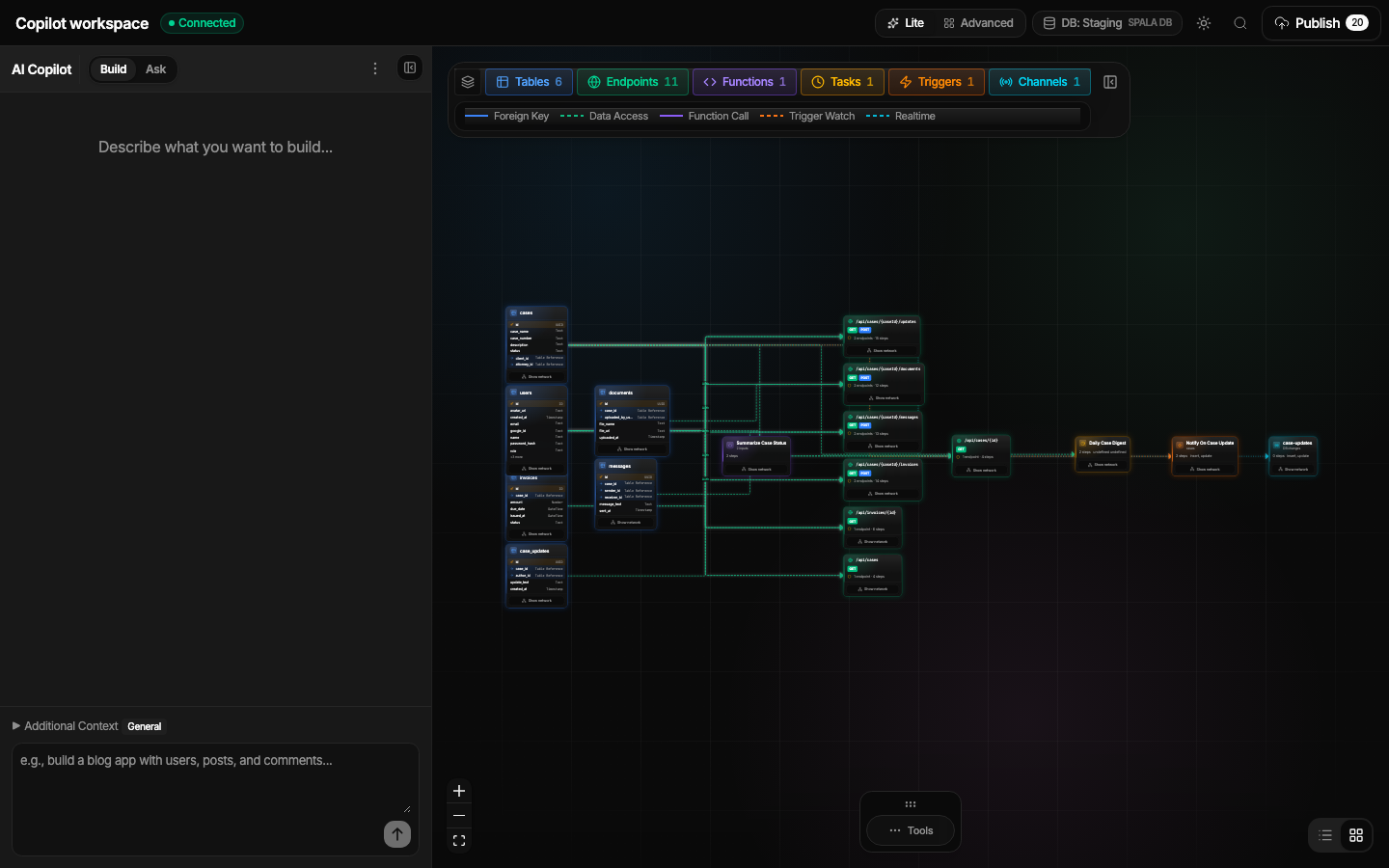
Connected project graph
See how backend resources relate before you ask Copilot or a coding agent to change them.
 Spala
SpalaCurrent product tour
Follow one Spala project from its connected resource graph through database and API inspection, request testing, publish review, and authorized coding-agent setup.
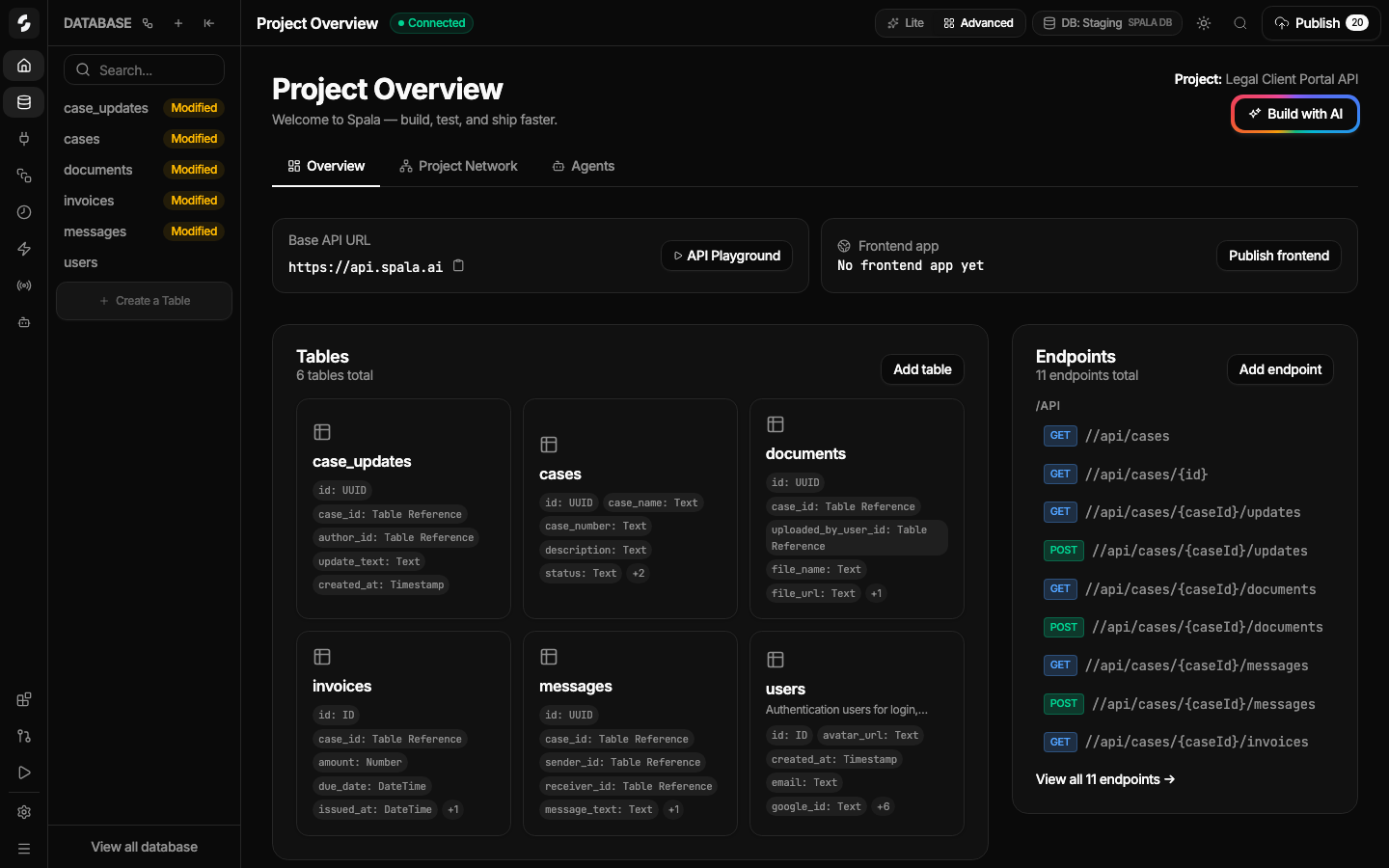
Start with the project overview and graph. They reveal the resource inventory, relationships, draft state, API base URL, and the paths into focused editing tools.
See how backend resources relate before you ask Copilot or a coding agent to change them.
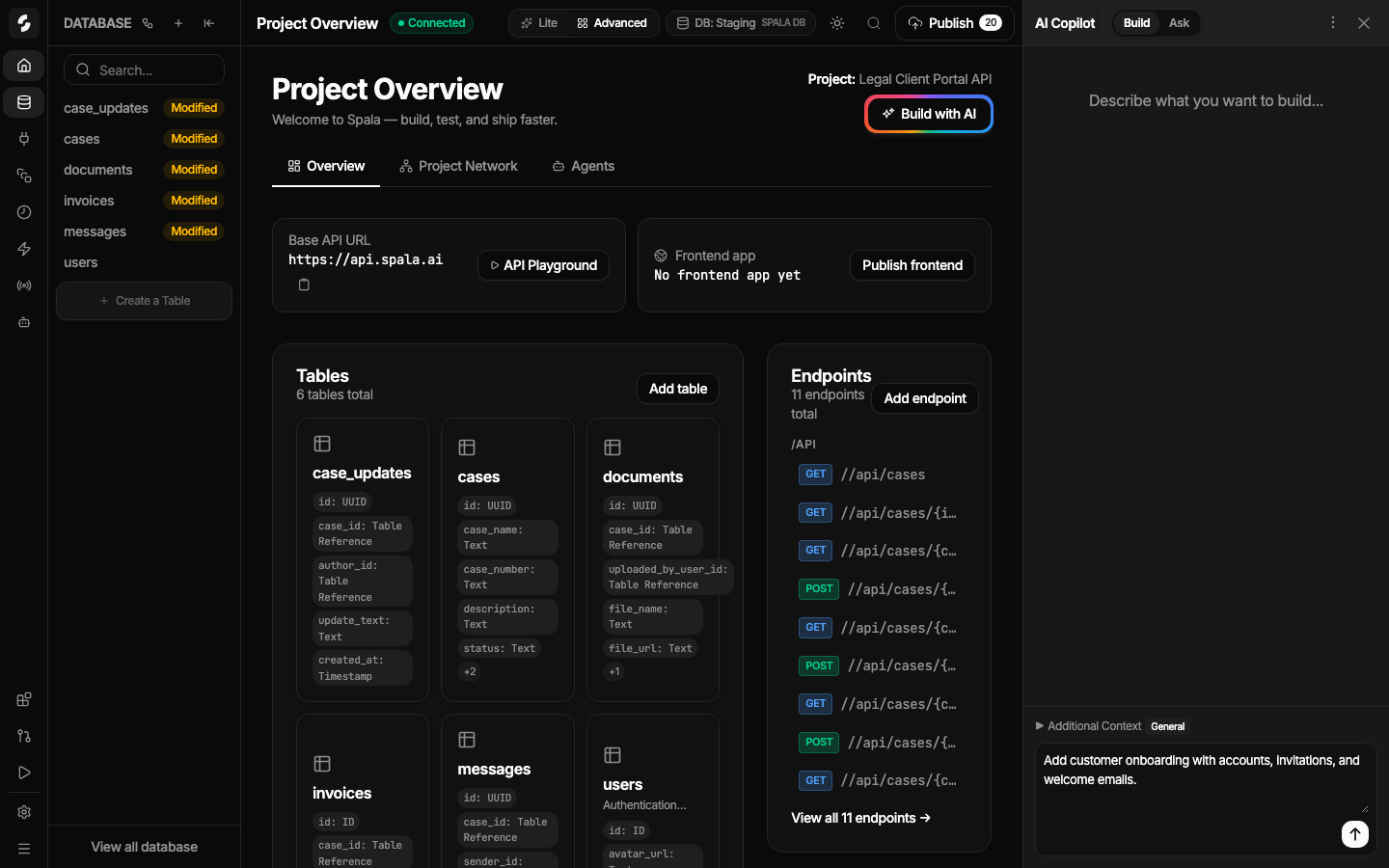
Describe a focused backend change while the current resources and project state remain visible.
Move from the overview into database, REST API, and workflow detail. These views are where generated output becomes reviewable rather than hidden behind a prompt.
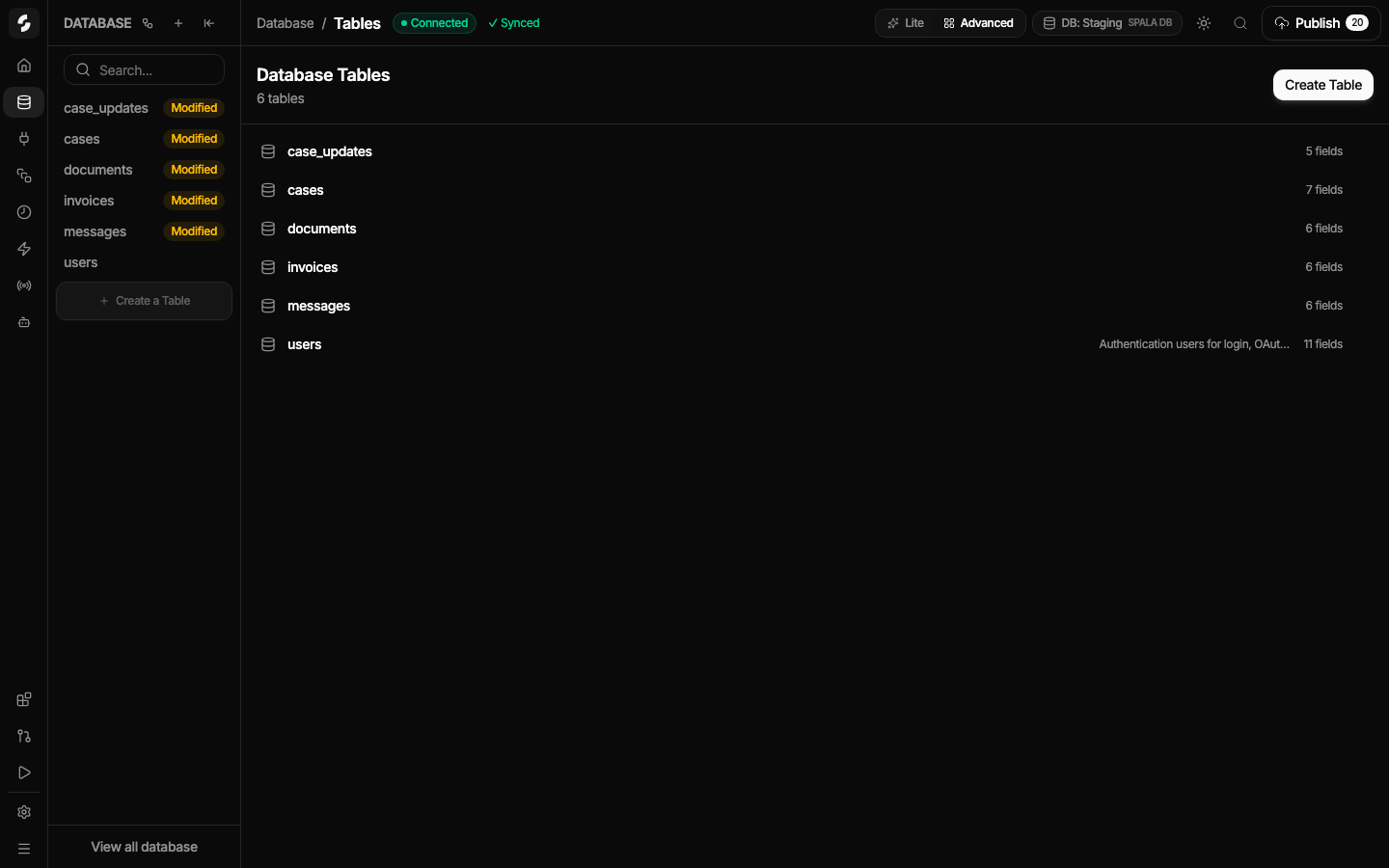
Inspect table names, row counts, schema entry points, and draft or published state.
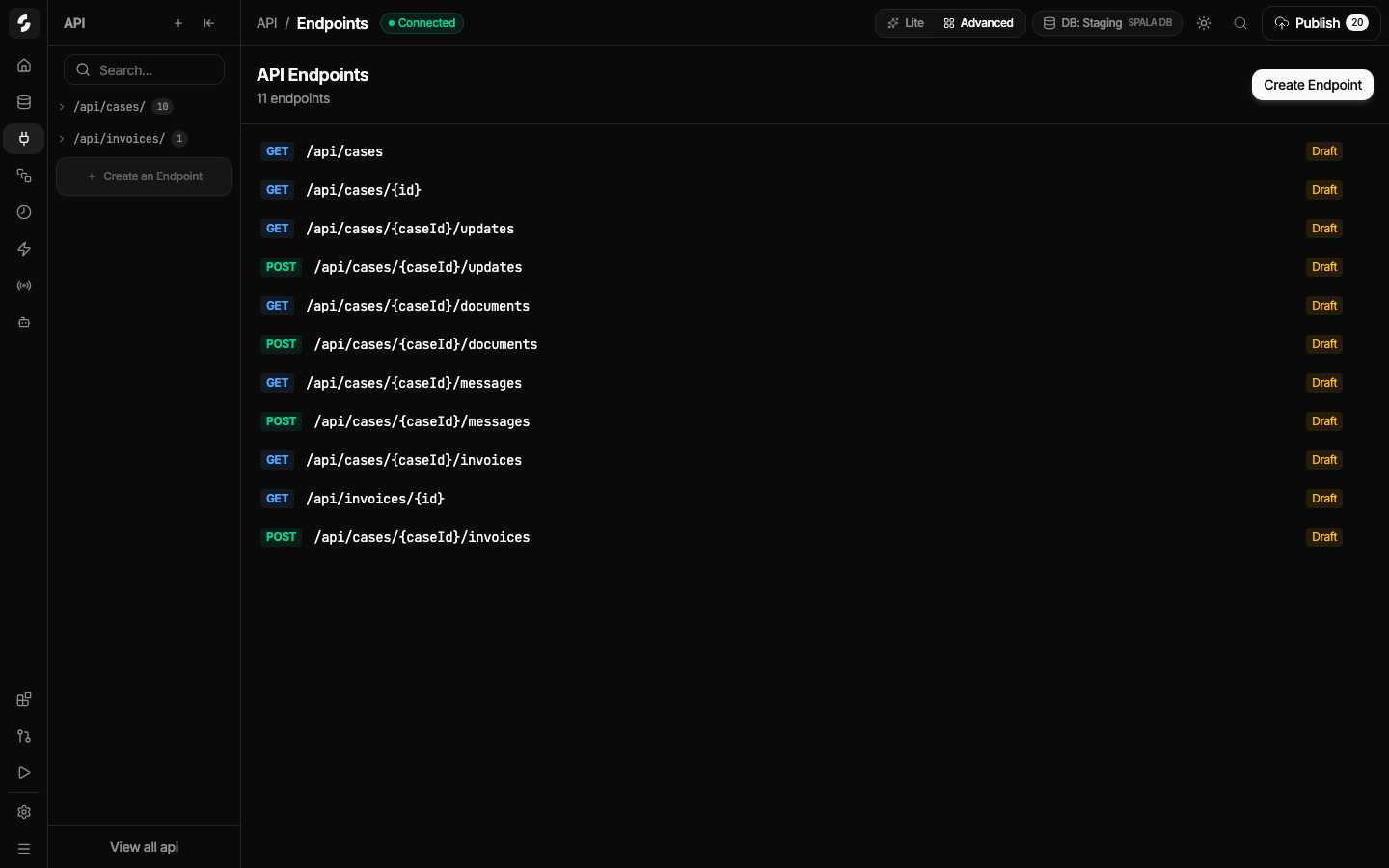
Scan route methods, paths, authentication requirements, and state from one endpoint list.
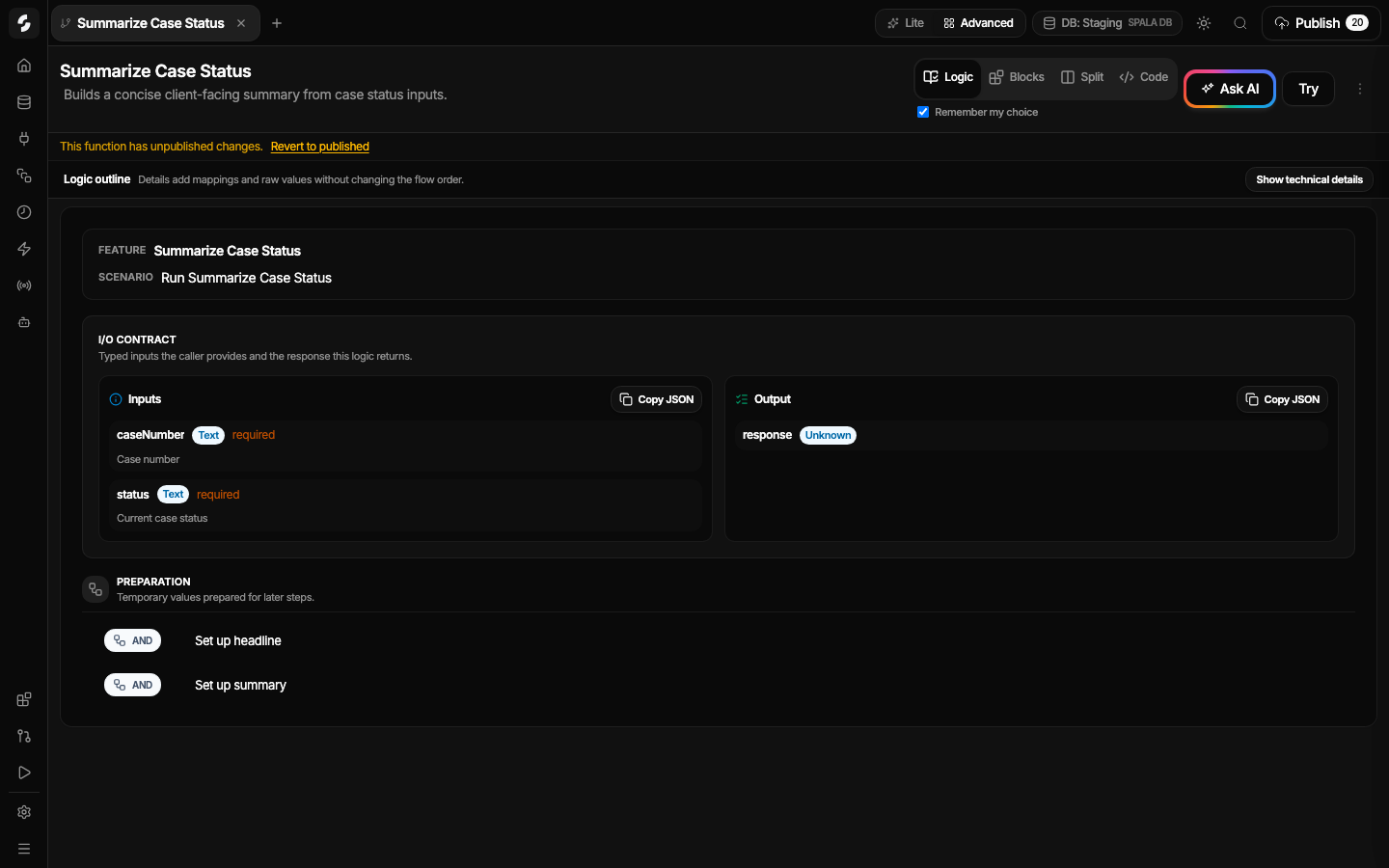
Review inputs, outputs, and ordered steps, then switch between supported visual and code representations.
Use the actual request surface, inspect the resources entering the published state, and connect coding agents only through authorized project configuration.
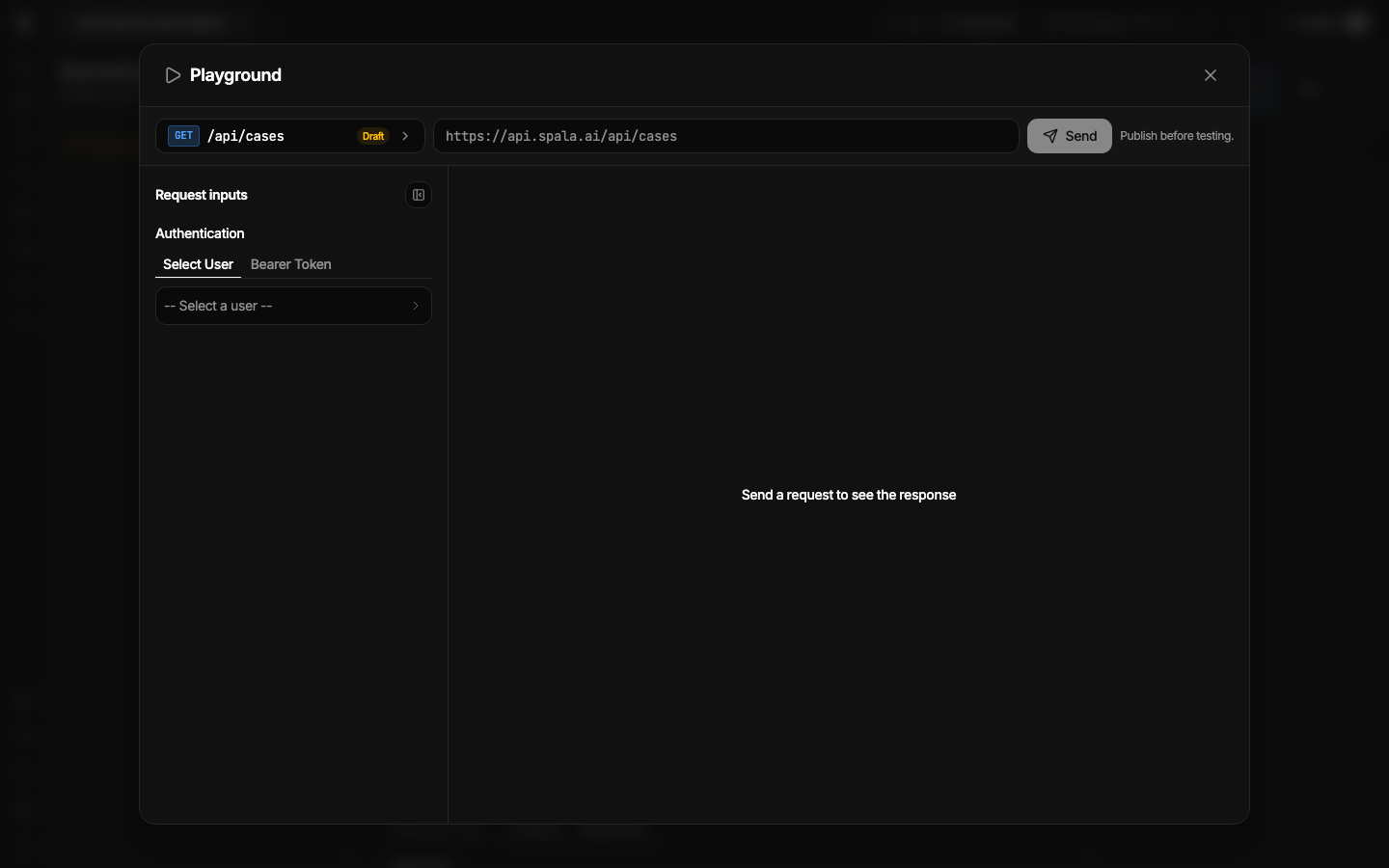
Choose a route, add authentication and request data, then send a real request before frontend handoff.
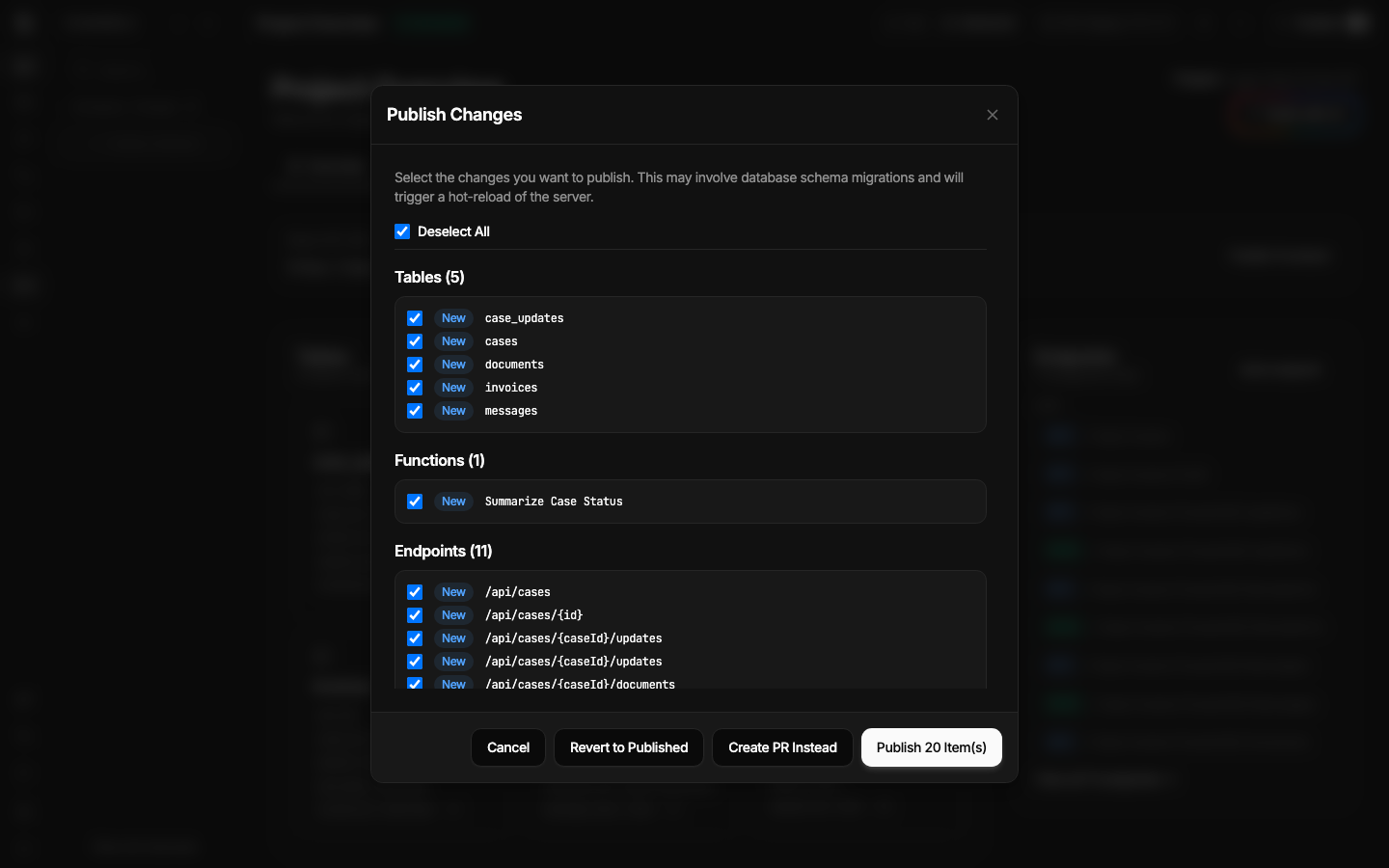
Select the intended tables, functions, and endpoints before moving them into published state.
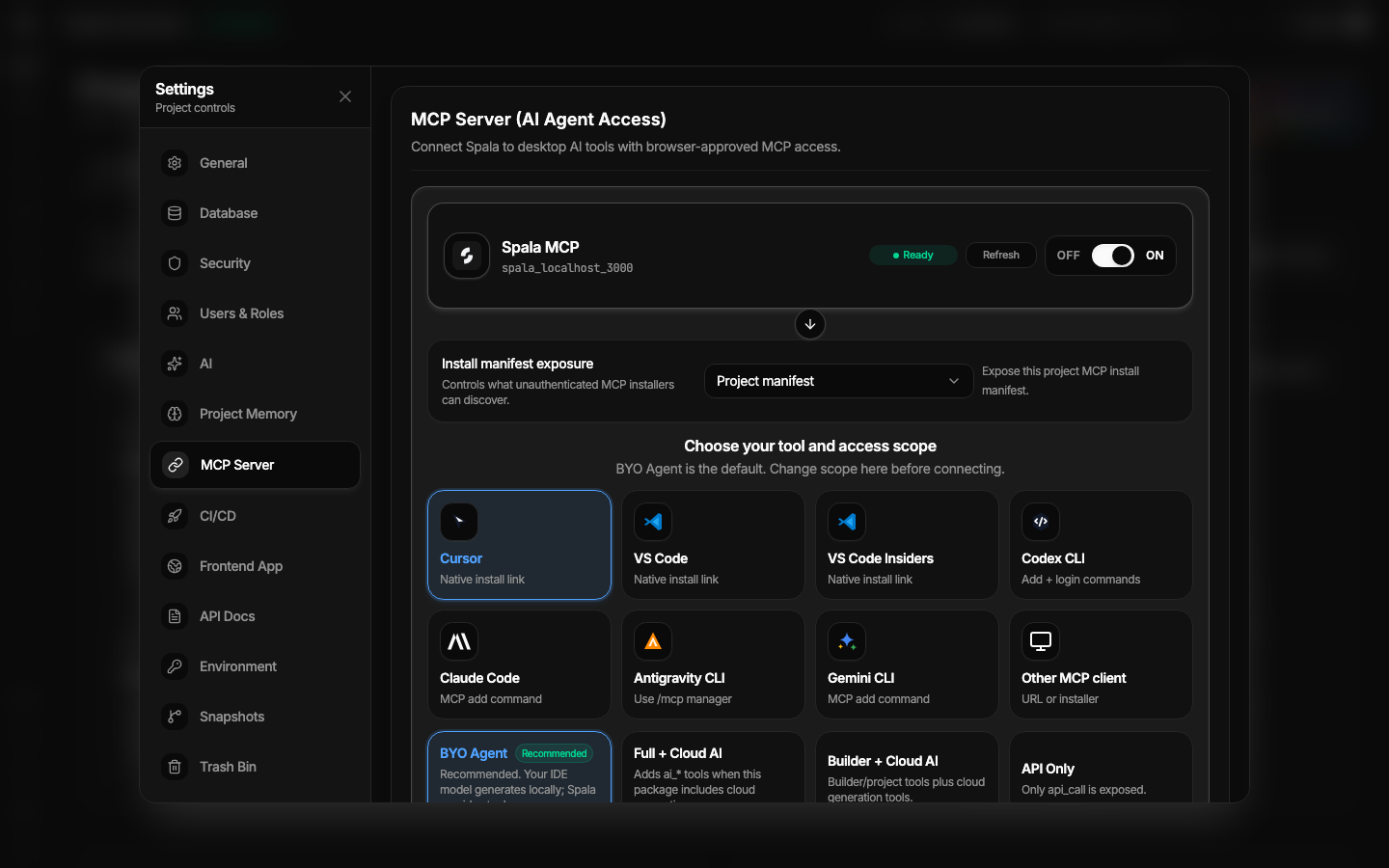
Configure authorized project-level MCP access for supported coding-agent clients. Public MCP discovery is a separate surface.
All screenshots were captured from the current hosted product build on July 12, 2026. UI and labels may evolve after this capture date.
A product tour proves that the inspection surfaces exist. Your project still needs real acceptance evidence for access control, failure behavior, publish correctness, and recovery.
Create separate users and verify protected routes, roles, ownership, and tenant isolation.
Send valid, invalid, unauthenticated, and wrong-user requests in API Playground and from the frontend.
Document rollback, database and file backups, restore ownership, monitoring, and support before production.
Start a Spala project yourself or scope a managed backend implementation and handoff with the team.